Team Lineup
Build your roster, mark the captain, and set player positions for each quarter.
My Teams
Open My Teams from the home screen to see all your saved teams. Tap a team to view its roster, or tap + to add a new team. Teams you create here are available to select when setting up any game.
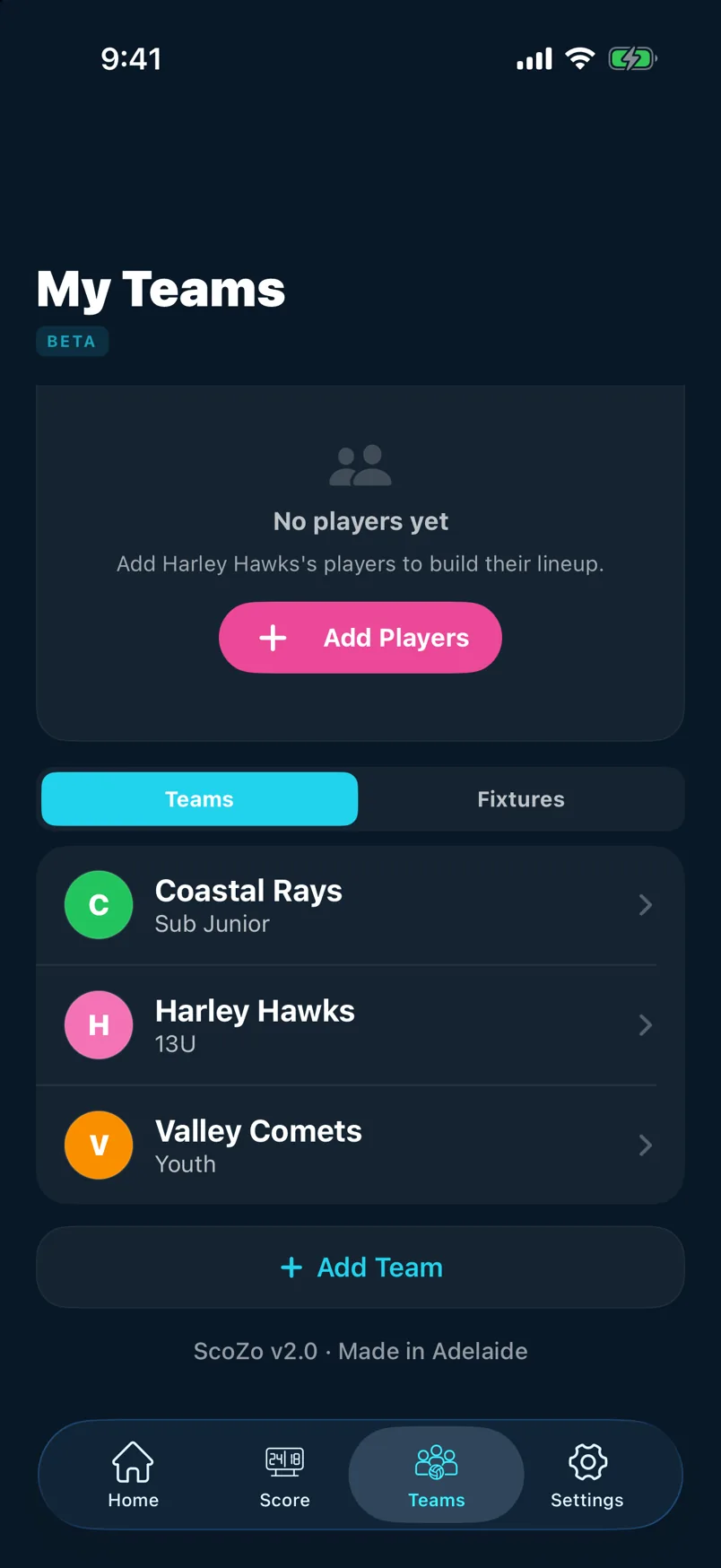
Create or edit a team
Give the team a name and choose a colour. You can also add a short display name that appears on the scoreboard. Tap Save when done — the team is now available in the Saved Teams picker on the setup sheet.
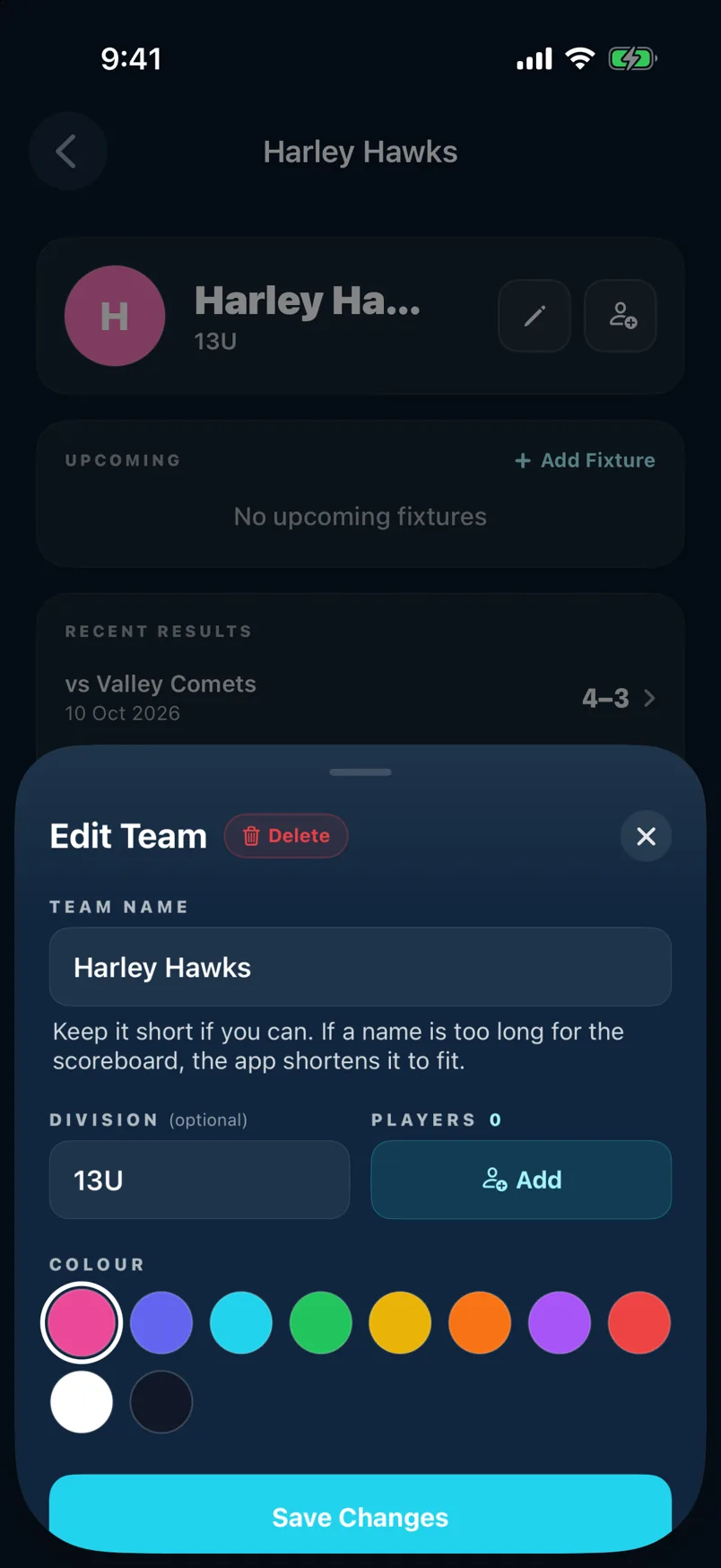
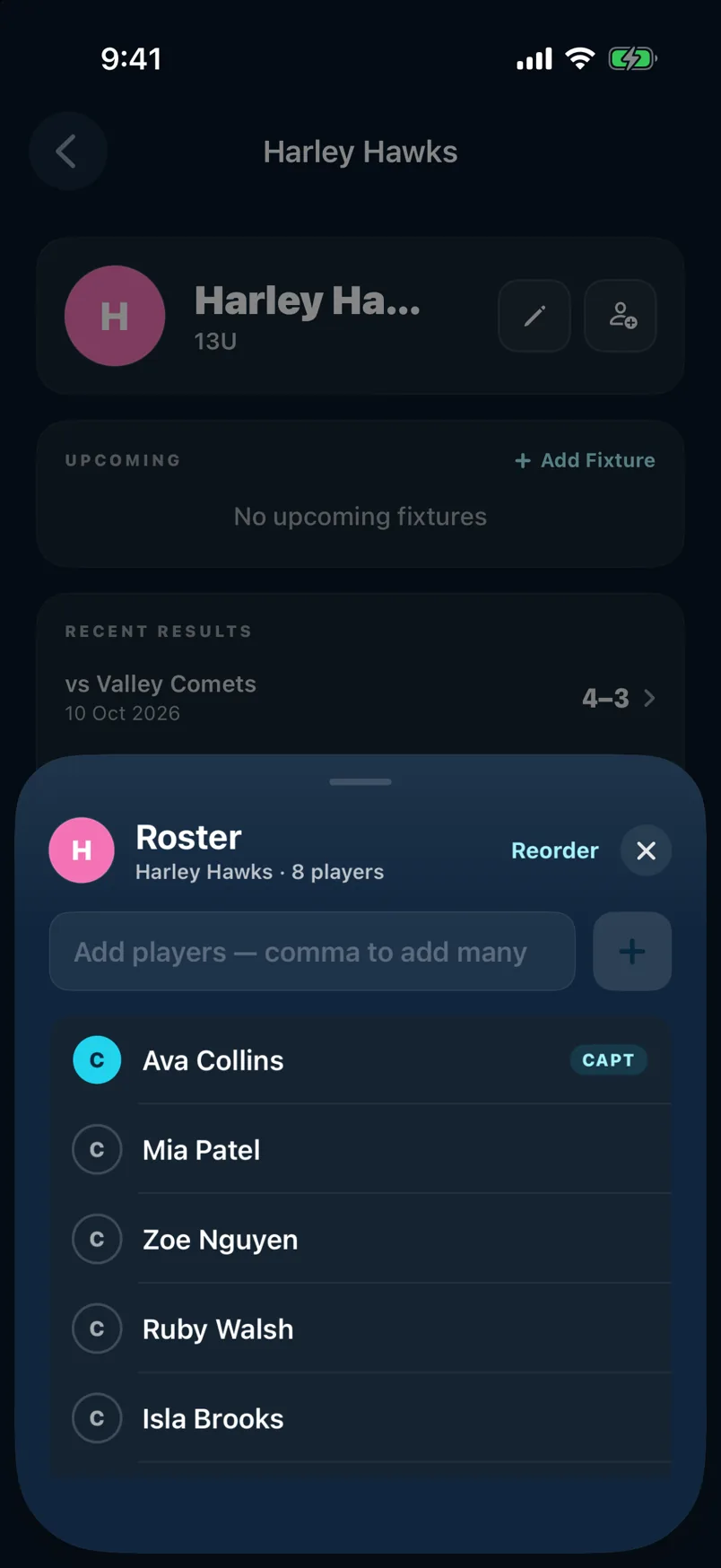
Roster and captain
Tap Add Players and type player names — separate multiple names with commas to add several at once. Tap any player's name and enable Captain to mark them. The captain's name appears highlighted on the roster.
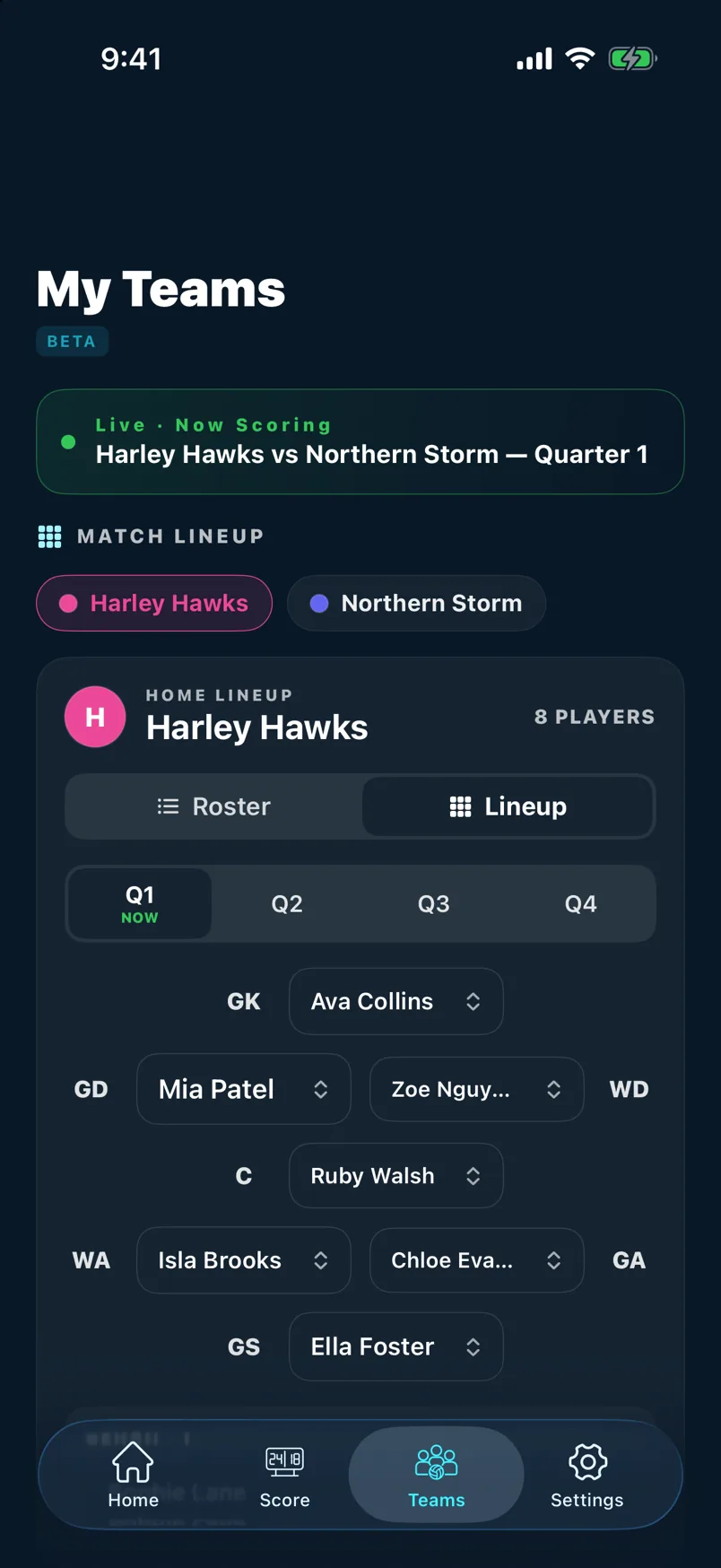
Match lineup during a game
During a live game, tap the Lineup tab to assign a position (GS, GA, WA, C, WD, GD, GK) to each player for the current quarter. The lineup is saved per quarter so you can track rotations across the match.
Still stuck? support@scozo.live