Notice
Send a message to your live viewers mid-game — a quick preset or a custom note that appears on every fan's screen.
The Notice bell
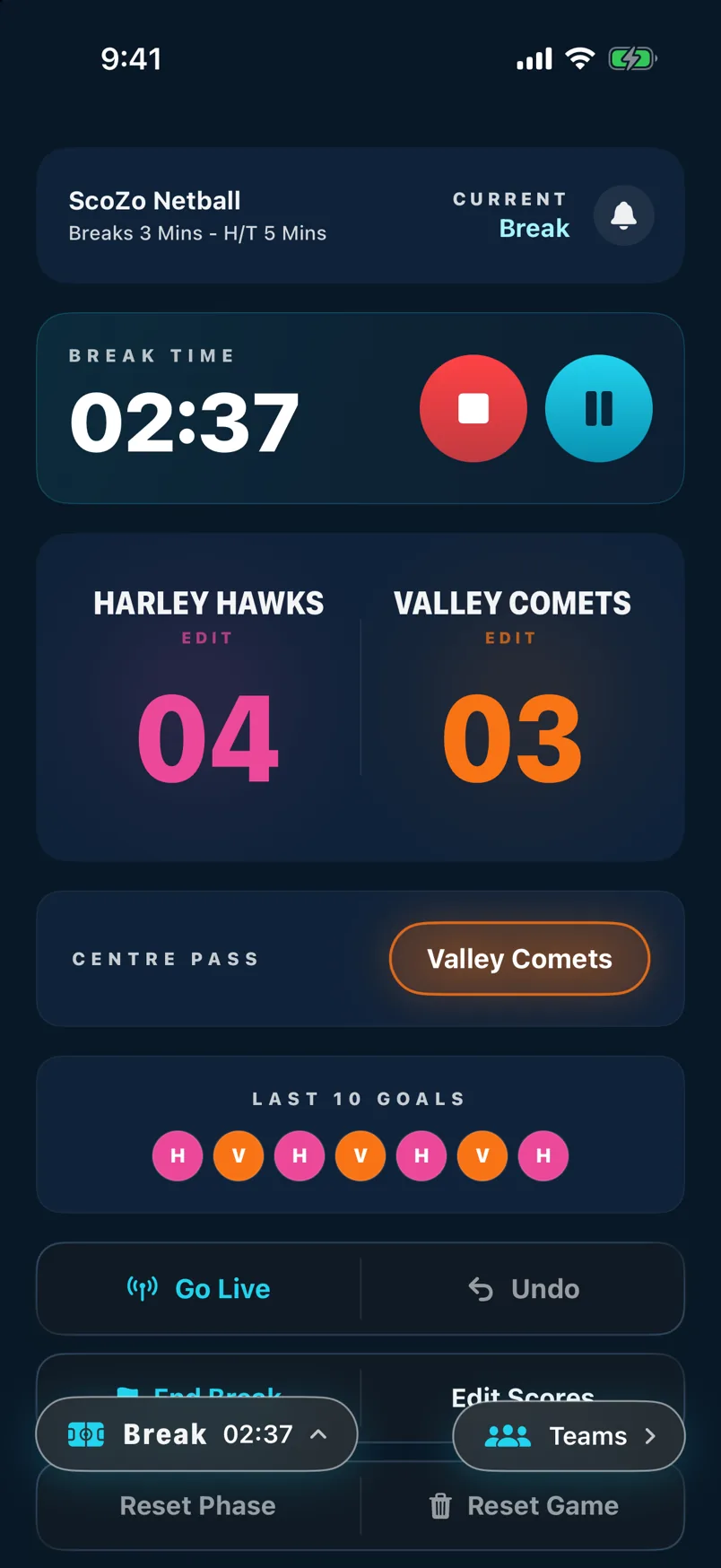
During a live game the bell icon appears in the match header. Tap it to open the Notice sheet. Notice requires an active live game — the bell only shows when Go Live is on.
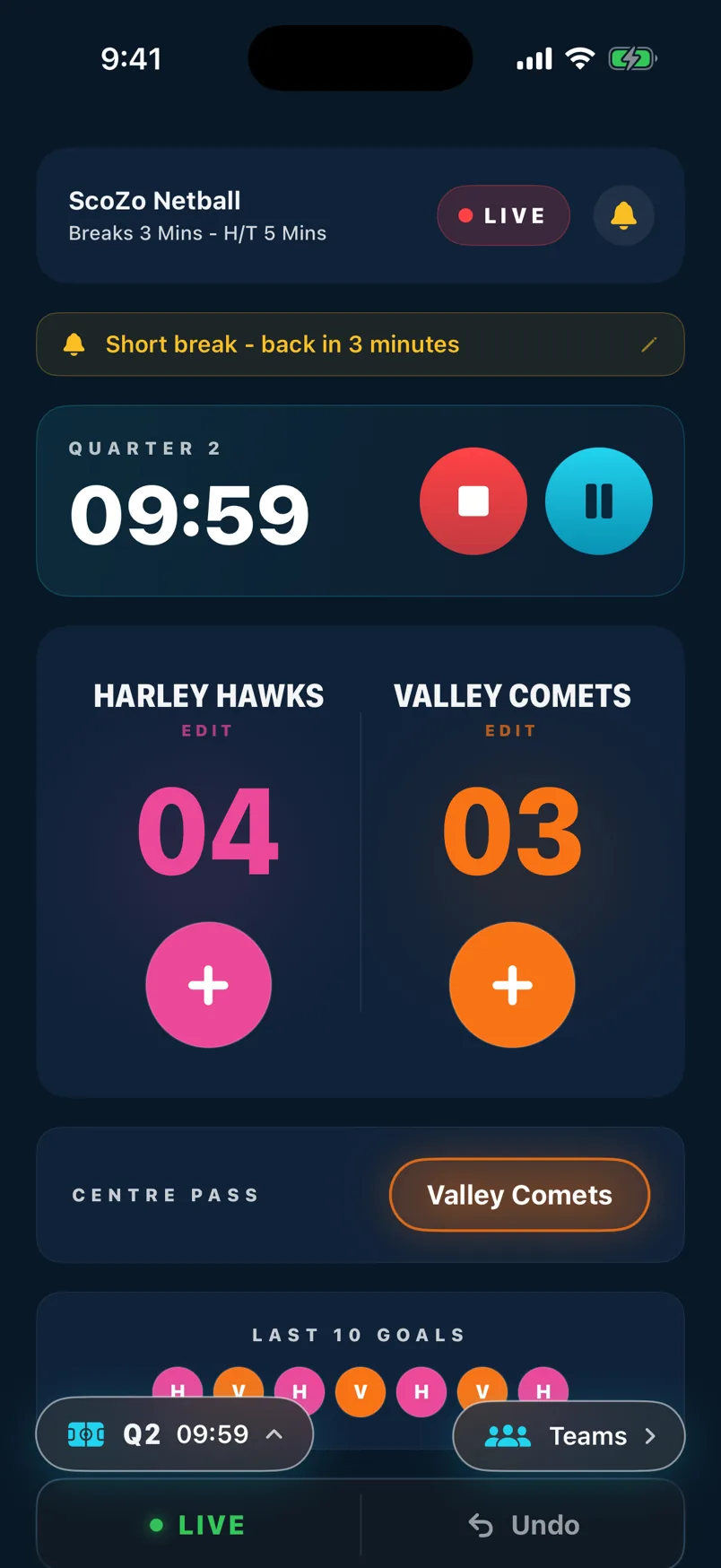
Quick presets and custom messages
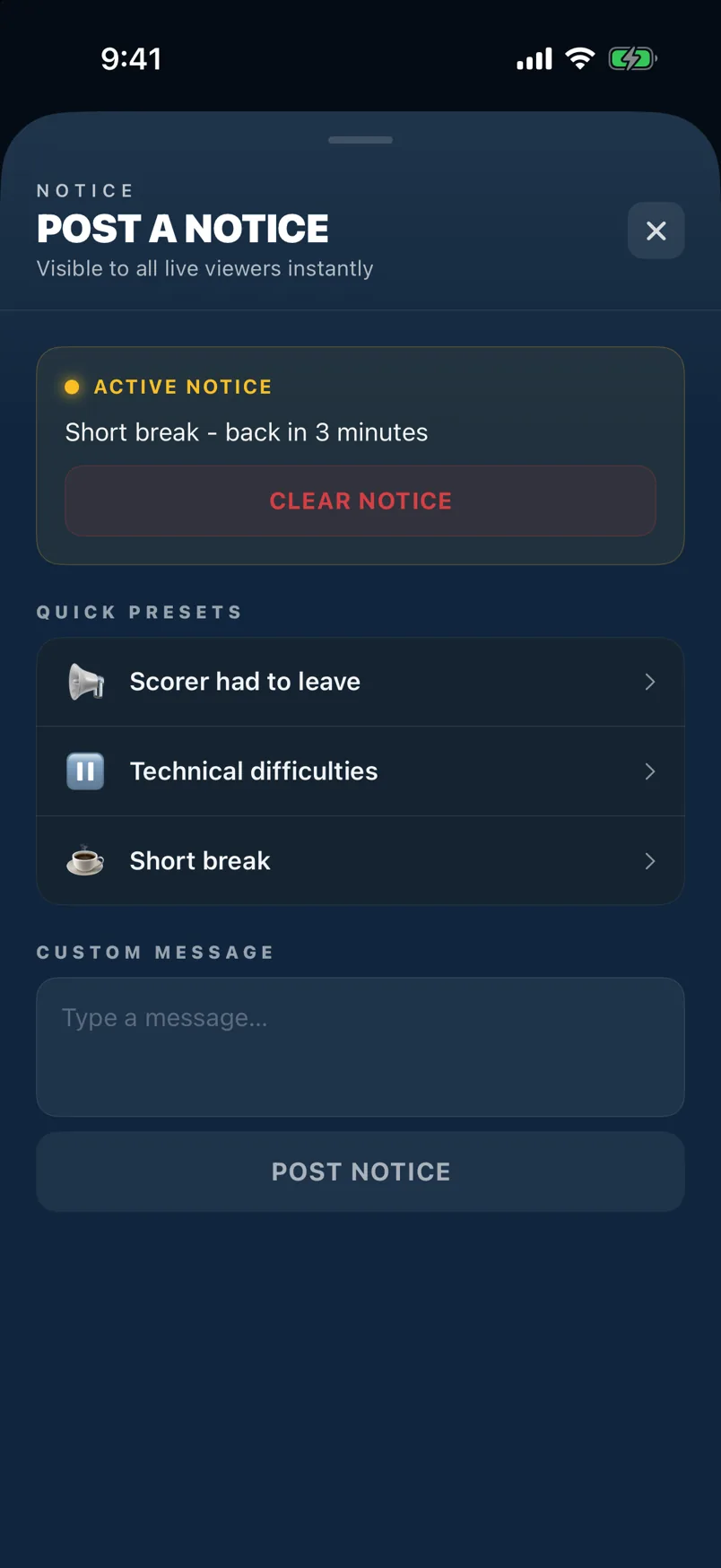
The Notice sheet shows quick presets — Quarter Break, Half Time, Game Over, and more — for one-tap posting. Or type your own message in the text field below the presets. Tap Post Notice to send it.
Active notice and clearing it
While a notice is active the bell icon shows a filled indicator. Tap the bell again to see the Clear Notice button. Tap it when the message is no longer relevant — it disappears from all fan screens immediately.
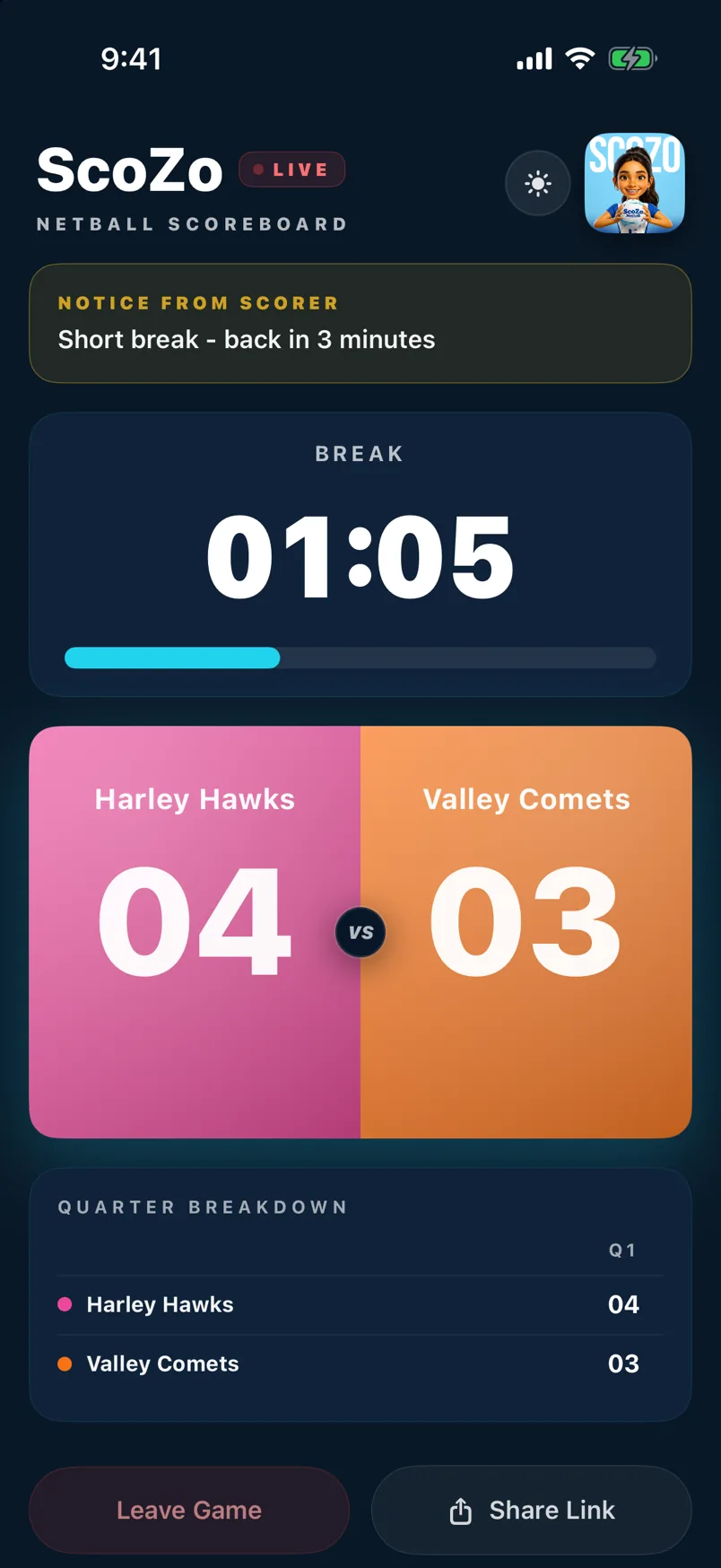
What fans see
The notice appears as a banner at the top of the fan's live viewer. It stays visible until you clear it or post a new one. Fans can dismiss it on their own screen without affecting what other fans see.
Still stuck? support@scozo.live