How to Score
Everything you need during a live game — scoring, the centre pass, Undo, breaks, and ending the match.
The scoreboard before kick-off
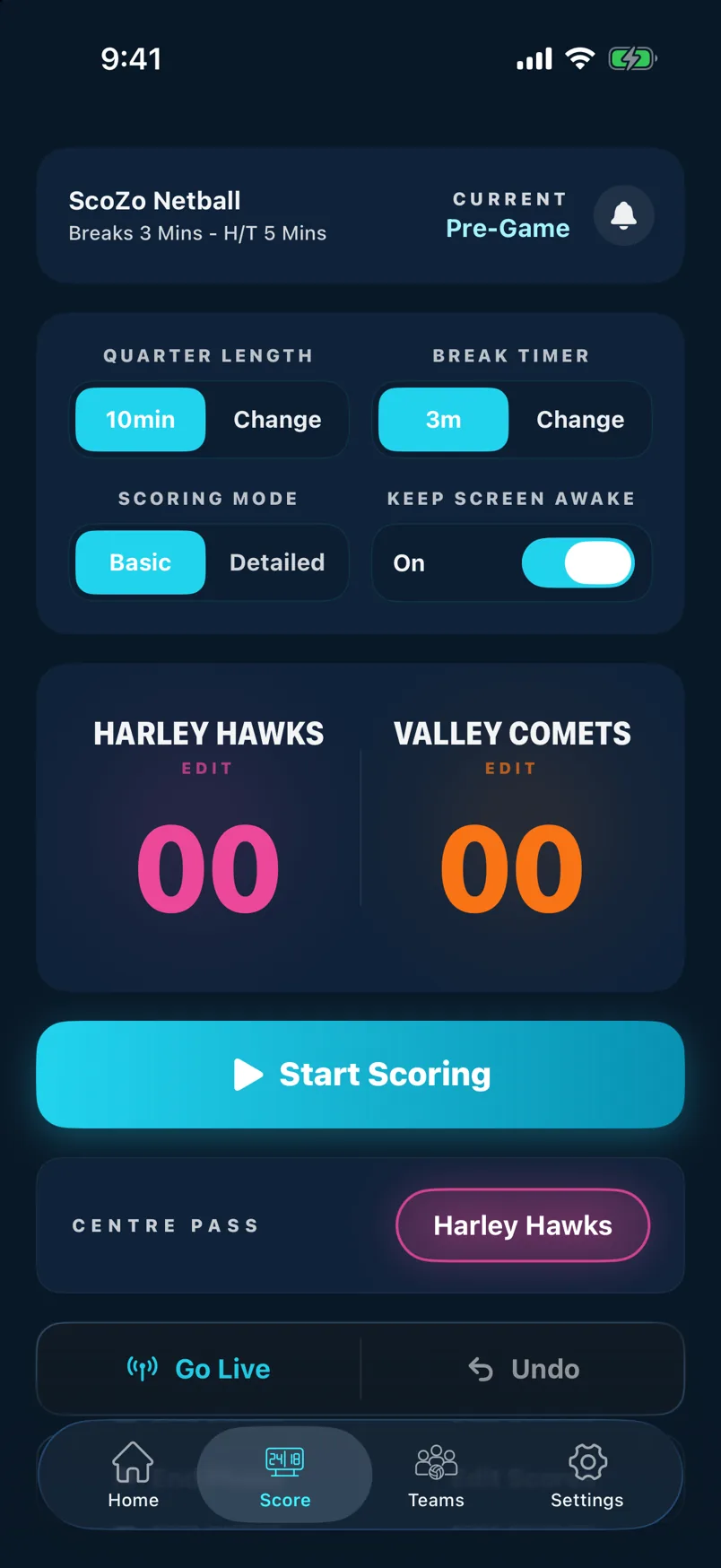
Before the game starts the timer shows the full period length and the score is 0–0. The centre pass indicator shows which team has the first centre pass. Tap the play button to start the clock.
Score a goal
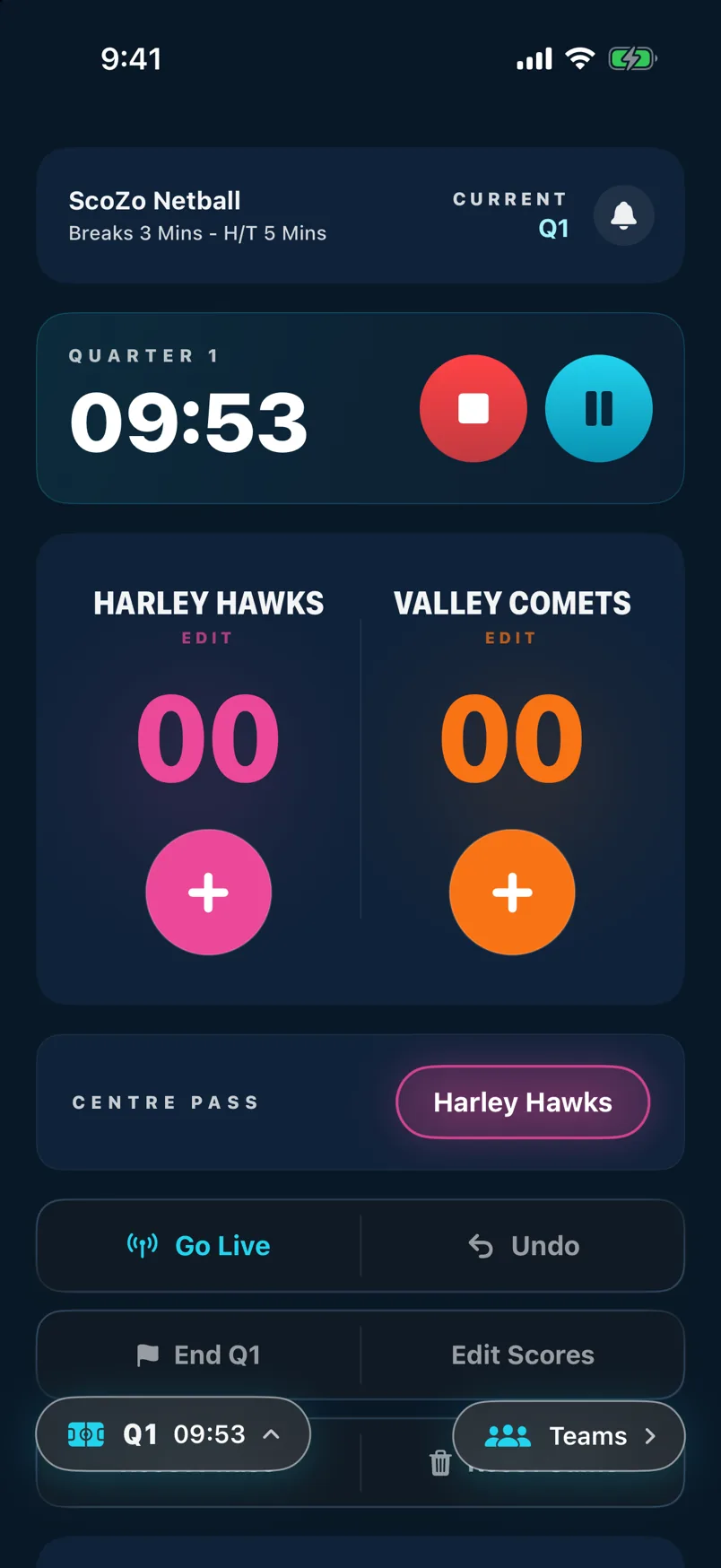
Tap the large score button on the side of whichever team scored. The score increments instantly, the centre pass indicator flips to the other team, and a goal is added to the Last 10 Goals strip.
Last 10 Goals strip
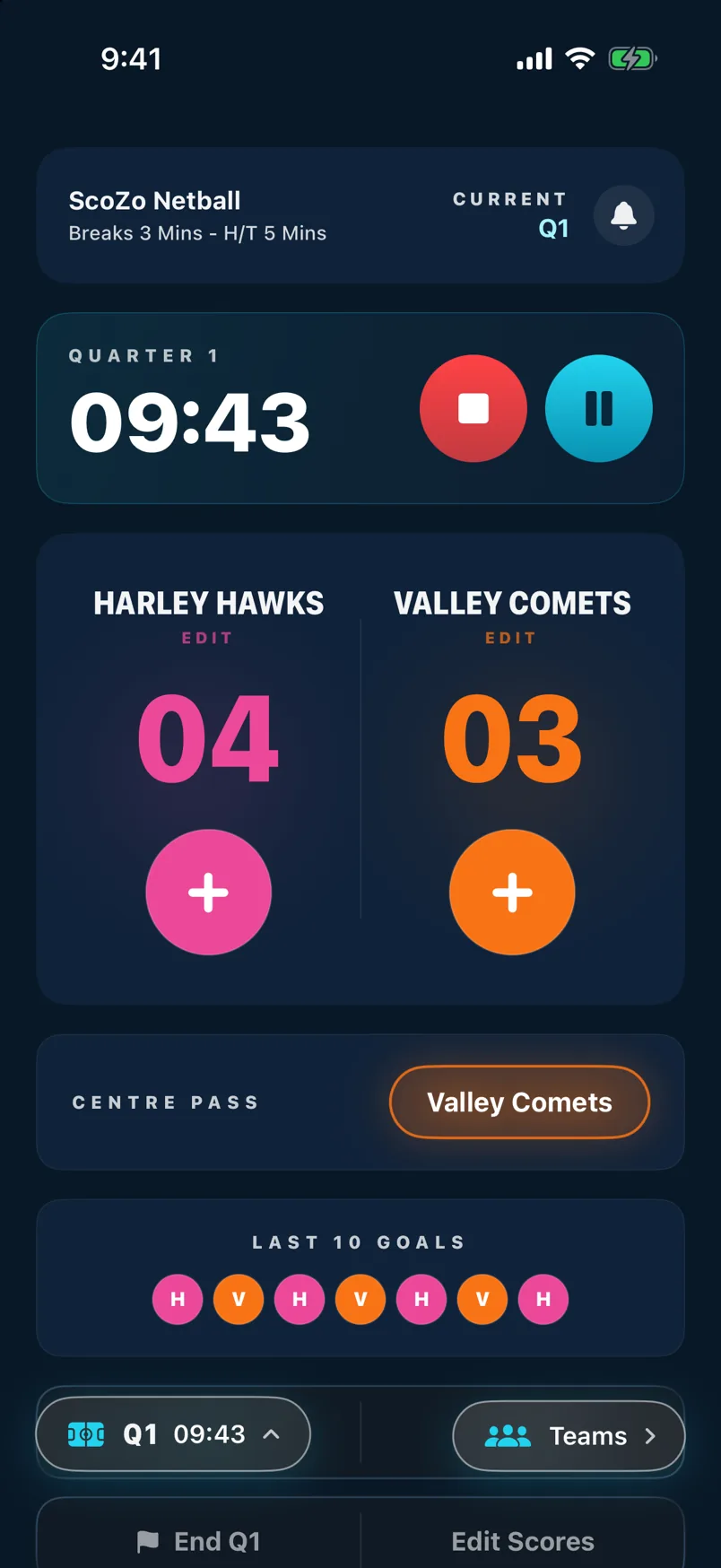
The coloured dots below the score show the last 10 goals scored, with each team's colour. It's a quick visual read of momentum — useful at a glance when you're busy watching the court.
Undo a goal
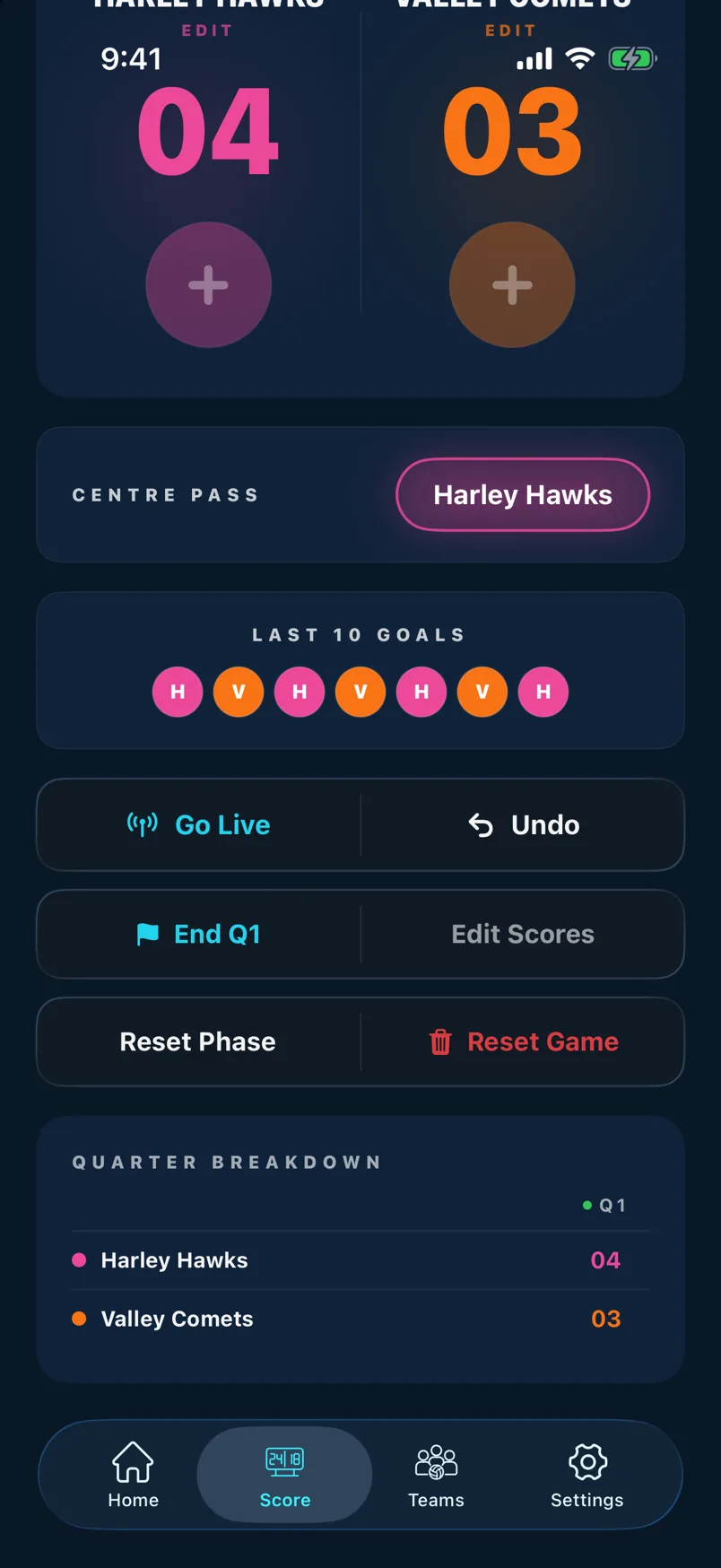
Tap Undo to remove the last goal scored. This also reverses the centre pass indicator. You can undo multiple times to step back through recent goals.
Reset Phase or Reset Game
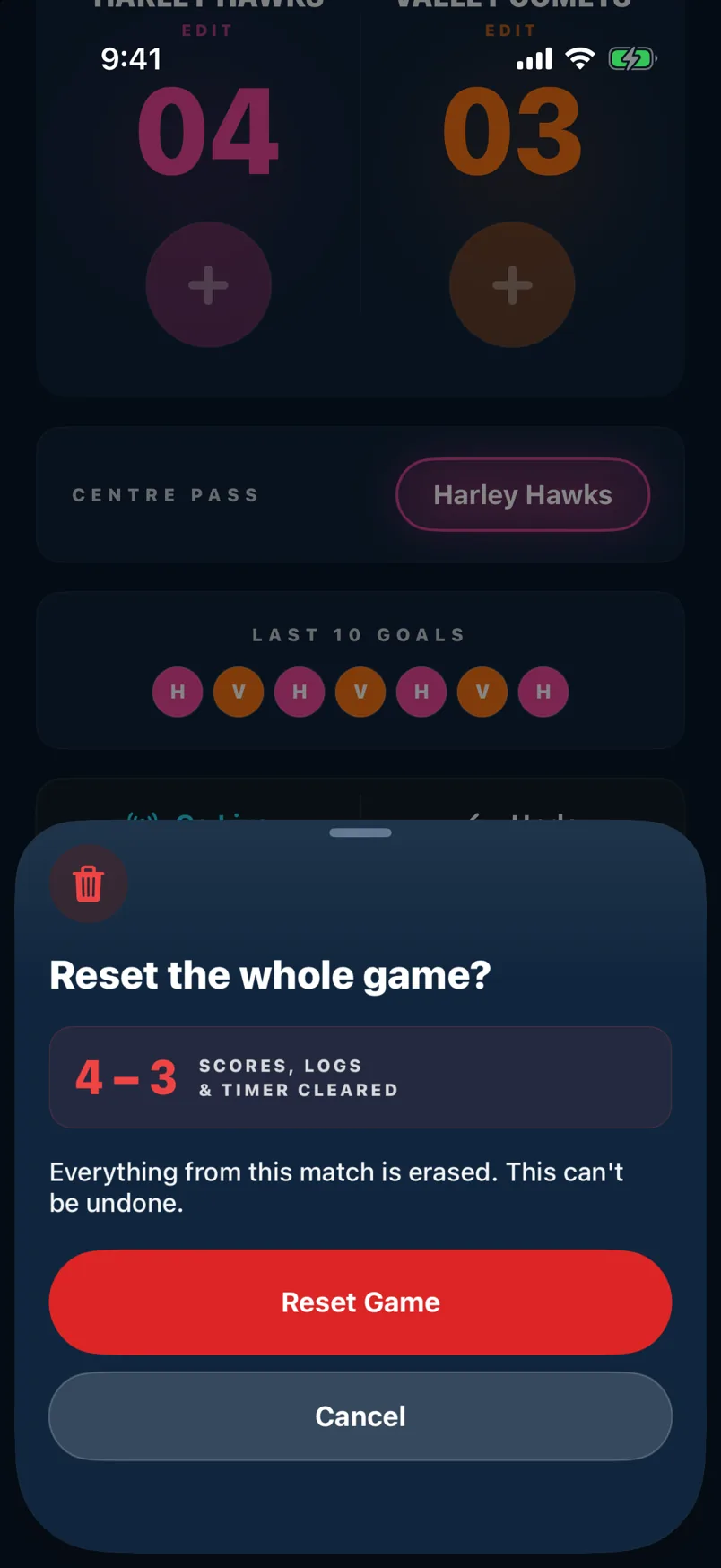
Tap the reset icon to open the reset modal. Reset Phase clears goals back to the start of the current quarter only — useful if you scored for the wrong team. Reset Game clears everything from the beginning.
Quarter breaks
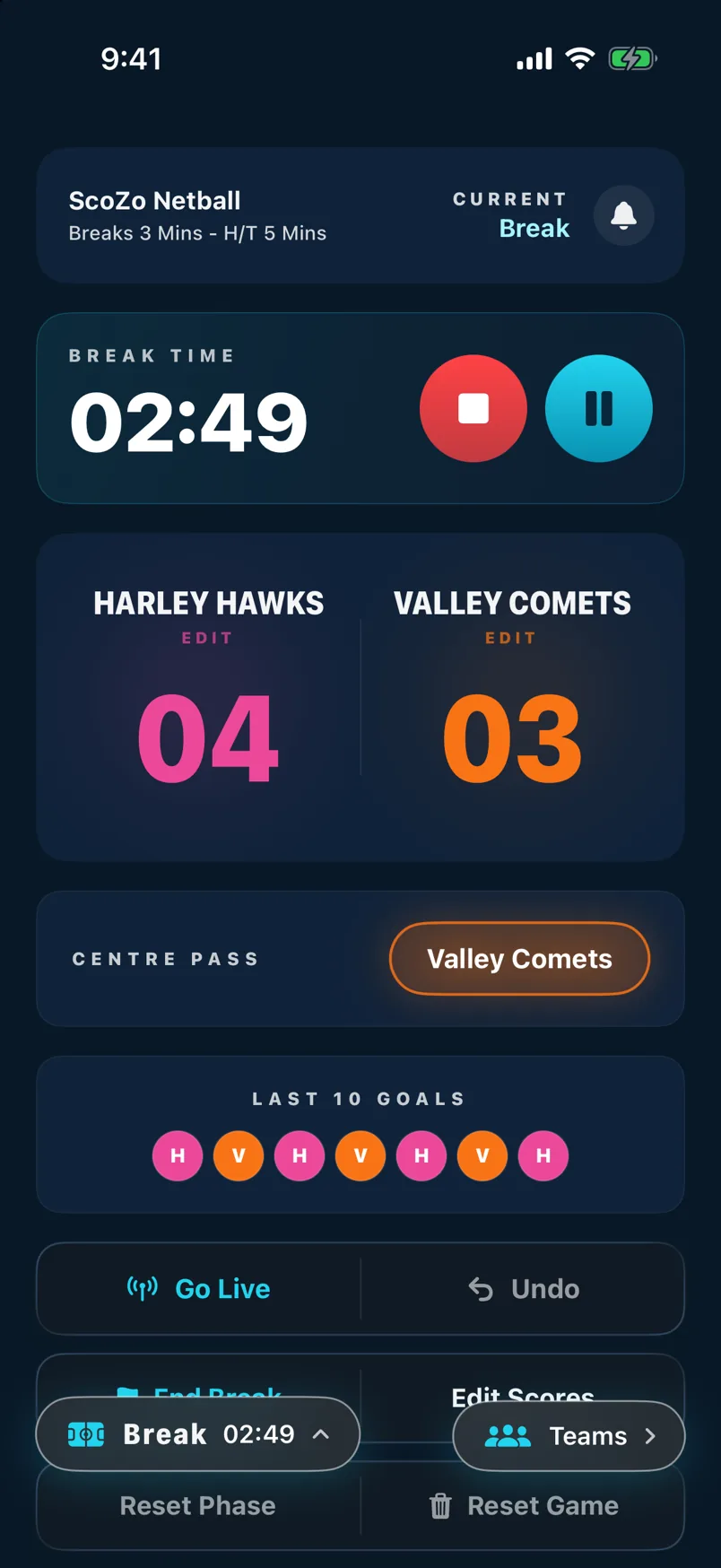
When the quarter timer reaches zero the game pauses and a break screen appears showing the score at the end of that quarter. Tap Start Quarter (or it starts automatically in Auto break mode) to continue.
End of game
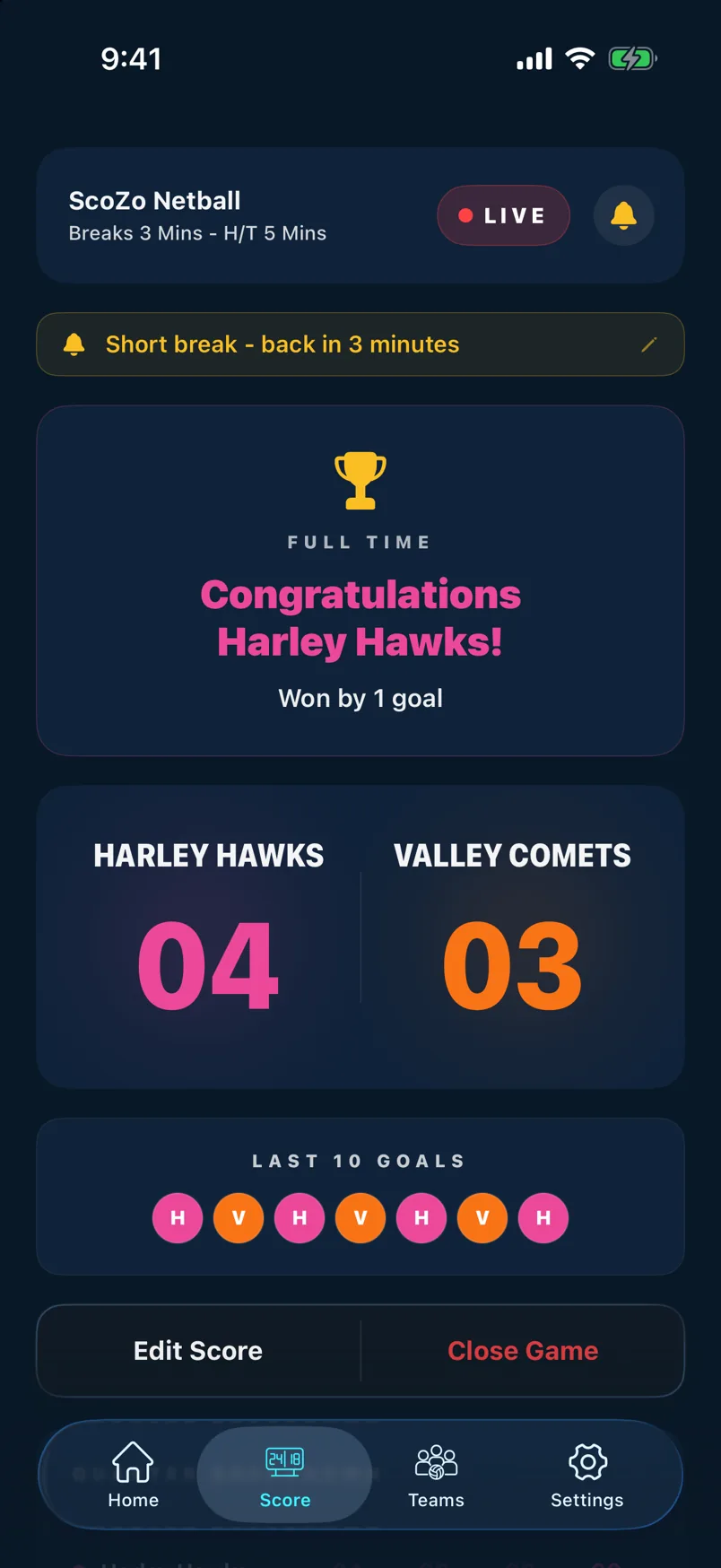
After the final quarter the game-over screen shows the final score with a confetti celebration for the winner. Tap Save Game to store the result in History. If you need to play extra time, use the extra-time option before saving.
Still stuck? support@scozo.live